AI Receptionist for Small Business: Complete Buyer's Guide (2026)
Missing calls costs you customers. When someone hits voicemail, they call the next business. They don't wait. They don't come back.
Small business owners can't hire a full-time receptionist at $35,000–$45,000 a year. AI receptionists solve this at a fraction of the cost. But they're not all the same. Some just take messages. Others schedule appointments, qualify leads, transfer calls, sync with your CRM. The wrong choice wastes money. The right one captures revenue you're losing right now.
This buyer's guide breaks down everything you need to know: how AI receptionists work, what features matter, pricing models, industry-specific requirements, and how to choose without getting burned by limitations you don't discover until after signing up.
What Is an AI Receptionist for Small Business?
An AI receptionist is software that answers your business phone calls using conversational artificial intelligence. It sounds like a real person, understands natural language, and handles tasks like answering questions, taking messages, booking appointments, and routing calls to the right team member.
Modern AI receptionists go beyond simple phone trees. They hold actual conversations, adapt to different situations, and learn your business from your website, FAQs, and documentation. When someone calls, the AI greets them professionally, understands what they need, and either handles it directly or transfers to a human when needed.
The result: your customers always reach a professional voice instead of voicemail, even at 2 AM or during your busiest hours. You capture leads that would otherwise go to competitors.
How AI Receptionists Actually Work
AI receptionists use three core technologies working together:
Speech recognition converts caller speech into text the system can process. Modern systems handle accents, background noise, and natural speech patterns pretty well. Not perfectly, but well enough that most callers don't notice issues.
Natural language processing (NLP) understands what callers mean, not just what they say. If someone asks "Are you guys open tomorrow?" the AI knows they're asking about hours, even though they didn't use the word "hours."
Text-to-speech generates responses that sound natural. The best systems use neural voices that sound genuinely human. You can usually tell you're talking to AI if you're paying attention, but most callers just want their question answered.
Behind the scenes, the AI connects to your calendar, CRM, knowledge base, and other tools. When it books an appointment, that goes straight into your Google Calendar. When it captures a lead, that syncs to your CRM. No manual data entry.
AI Receptionist vs Virtual Receptionist vs Answering Service
These terms get confused. Here's what they actually mean:
AI Receptionist is fully automated software. No humans involved. Answers calls instantly, handles unlimited calls at once, works 24/7, costs $29–$499/month. Best for predictable call types and budget-conscious businesses.
Virtual Receptionist usually means remote human receptionists working from home. They follow your scripts, handle complex situations, build relationships with repeat callers. Costs $300–$800/month. Best for professional services where human judgment matters.
Answering Service is a broader term that covers both. Some are AI, some are human, some are hybrid. When people say "answering service" they usually mean human agents.
Hybrid Services route routine calls to AI and complex ones to humans. You get cost savings from AI with human backup for situations that need it. Services like Smith.ai do this. Costs $300–$600/month.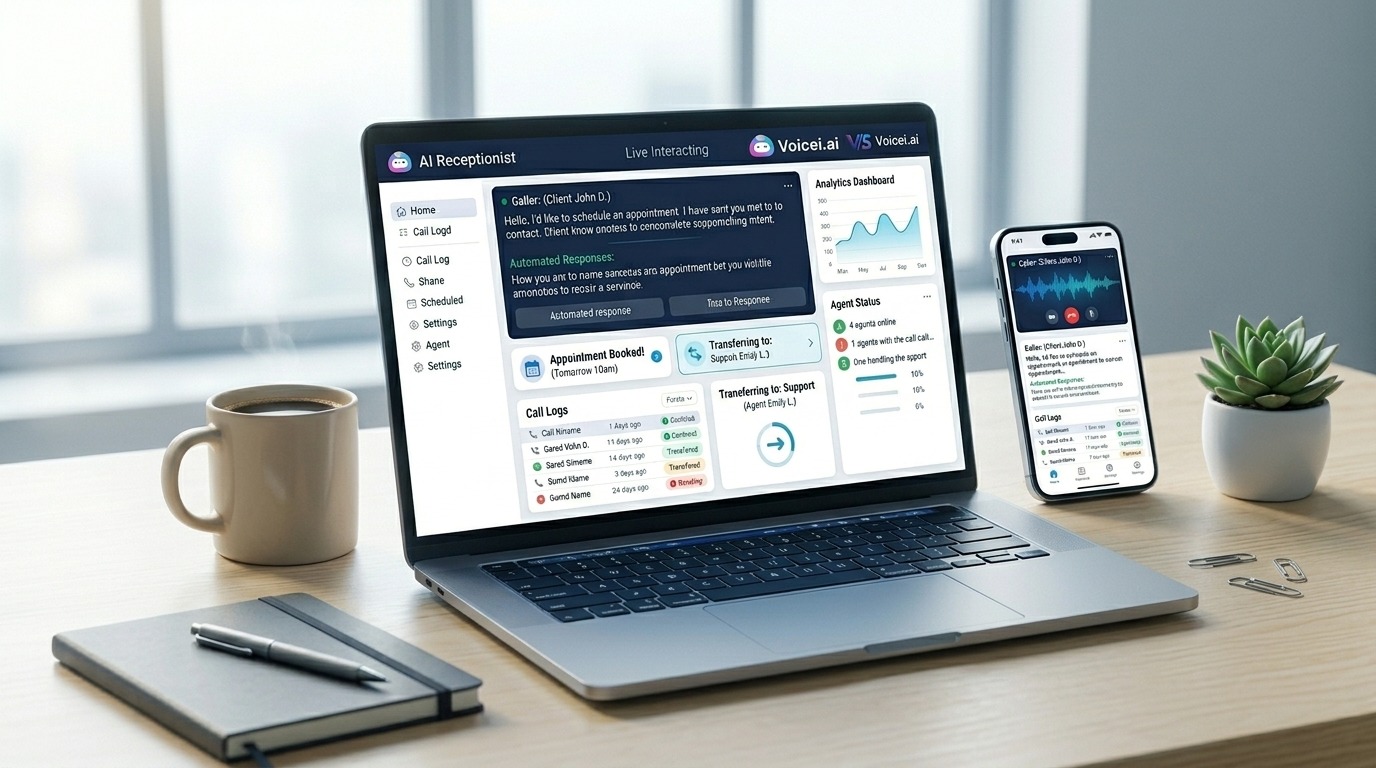
What AI Receptionists Can Actually Do
Capabilities vary widely by provider. Here's what's possible and what's still hit-or-miss:
What Works Well
Answering basic questions: Hours, location, pricing, services offered. The AI pulls this from your website or knowledge base you provide. Works great if your info is documented.
Appointment scheduling: Checks your calendar, finds available slots, books appointments, sends confirmations. This works surprisingly well. The AI doesn't double-book or mess up time zones.
Message taking: Captures caller info (name, phone, email, reason for calling) and sends it to you via email, SMS, or CRM. Basic but reliable.
Call routing: Transfers calls to specific team members based on what the caller needs. "I need sales" goes to sales. "Technical problem" goes to support.
Spam filtering: Blocks robocalls and obvious spam before they waste your time. Works better than you'd expect.
Lead qualification: Asks qualifying questions you define. Budget, timeline, specific needs. Captures answers in your CRM.
Order taking: For businesses selling products, some AI receptionists can take orders, confirm inventory, process basic transactions.
What's Hit or Miss
Complex problem solving: When callers have unique situations that don't fit standard scripts, AI struggles. It might loop, give wrong answers, or transfer to a human.
Emotional situations: Upset customers, complaints, bad news delivery. AI can detect frustration and transfer to humans, but it can't really empathize the way people do.
Heavy accents or poor connections: Modern AI handles most accents okay, but really strong ones or bad phone connections still cause problems.
Rapid-fire questions: Callers who interrupt, talk fast, or ask multiple questions at once can confuse the AI.
Context from previous calls: Most AI receptionists don't remember past conversations with the same caller. Each call starts fresh.
Key Features to Look For
Not all AI receptionists include these. Check before buying:
Essential Features
Calendar integration: Must sync with Google Calendar, Outlook, Calendly, or whatever you use. Real-time availability checking. Automatic booking without your involvement.
CRM integration: Captures leads directly into Salesforce, HubSpot, Pipedrive, or your system. Without this, you're manually entering data from emails.
Call transfer: When AI can't handle something, it needs to transfer smoothly to you or your team. With context about what the caller needs.
Custom knowledge base: You should be able to upload your FAQs, pricing, policies, and have the AI reference them accurately.
SMS/email notifications: Get alerts when important calls come in, appointments are booked, or urgent issues need attention.
Call recording and transcripts: Review what happened on calls. Train the AI by fixing wrong answers.
Multi-language support: If you serve non-English speakers, the AI needs to handle those languages. English/Spanish bilingual is most common.
Nice to Have Features
Voice cloning: Some services clone your voice or let you pick custom voices. Makes the AI sound more "on brand." Not essential, but kind of cool.
After hours vs business hours routing: Different behavior depending on when calls come in. Useful for service businesses.
Zapier integration: Connects to 5,000+ apps if your tools aren't natively supported. Saves you from building custom integrations.
Analytics dashboard: See call volume, common questions, missed calls, appointment booking rates.
A/B testing: Test different greetings, scripts, routing to optimize performance.
Outbound calling: Some AI receptionists can make calls (appointment reminders, follow-ups). Most just handle inbound.
Pricing Models Explained
AI receptionist pricing varies significantly. Understanding the models prevents surprise bills.
Flat Monthly Rate (Most Common)
You pay a fixed amount monthly for a set number of minutes or calls.
Example: $99/month for 300 minutes, $249/month for 1,500 minutes
Pros: Predictable costs. Easy budgeting. No surprise bills.
Cons: If you exceed included minutes, overage fees can be expensive ($0.50–$2.00 per minute over). If you use way less, you're overpaying.
Best for: Businesses with consistent monthly call volume.
Per-Minute Pricing
You pay only for minutes actually used. No base fee or low base fee.
Example: $30/month base + $0.25 per minute used
Pros: Pay only for what you use. Great if call volume is unpredictable or low.
Cons: Costs spike during busy periods. Harder to budget.
Best for: Seasonal businesses, startups with low call volume, businesses testing AI for first time.
Per-Call Pricing
Charged per call handled, regardless of length.
Example: $1.50 per call
Pros: Simple. Short calls are cheap.
Cons: Long calls still cost the same as short ones, which can feel unfair. Costs add up quickly at high volume.
Best for: Businesses with very short, predictable calls.
Tiered Plans with Features
Different tiers unlock different features. More expensive plans add capabilities.
Example:
-
Basic $49/month: Message taking only
-
Professional $99/month: Adds appointment scheduling
-
Premium $249/month: Adds CRM integration and unlimited concurrent calls
Pros: Start cheap, upgrade as you need more.
Cons: You might need features only available in expensive tiers.
Best for: Growing businesses that will scale up over time.
Usage Included + Overage
Includes X minutes, then charges per minute over.
Example: $99/month includes 300 minutes, then $0.50/minute over
Pros: Predictable base cost with flexibility for busy months.
Cons: Overage rates can be expensive. Easy to lose track of usage.
Best for: Most small businesses with some volume variability.
What AI Receptionists Actually Cost
Real pricing from actual providers as of March 2026:
Budget tier ($29–$99/month):
-
Dialzara: $29/month basic, $49/month professional
-
Rosie: $29/month basic, $49/month professional (unlimited minutes)
-
Goodcall: $49/month starter (plus $0.50/customer overage)
Best for: Solopreneurs, startups, businesses testing AI
Standard tier ($99–$249/month):
-
Voicei.ai: $99/month (300 min), $249/month (1,500 min)
-
CloudTalk: $45/user/month with AI features
-
IsOn24: $49/month for 1,000 minutes
Best for: Small to midsize businesses with moderate call volume
Premium tier ($300–$800/month):
-
Smith.ai: $300–$600/month (hybrid AI + human)
-
AnswerConnect: $300–$800/month (human only)
-
Ruby Receptionist: $399+/month (human only)
Best for: Professional services, businesses needing human escalation
Hidden costs to watch:
-
Setup fees: $50–$200 (often waived)
-
Integration fees: Some charge extra for CRM/calendar connections
-
Overage penalties: Can double your bill if you exceed plan limits
-
Phone number fees: Some providers charge for local/toll-free numbers
Cost comparison:
-
Full-time in-house receptionist: $35,000–$45,000/year ($2,917–$3,750/month)
-
AI receptionist: $99–$249/month (95–97% savings)
-
Hybrid AI + human: $300–$600/month (84–92% savings)
Industry-Specific Requirements
Different industries need different features. Here's what matters by industry:
Healthcare, Medical, Dental
Must-have: HIPAA compliance. Business Associate Agreement (BAA). Encrypted call recording. Secure message delivery.
Critical features: Appointment scheduling with insurance verification, prescription refill requests, emergency routing, patient intake forms.
Don't buy if: No HIPAA compliance. Patient data isn't encrypted. No BAA offered.
Best options: Voicei.ai Enterprise (HIPAA), AnswerConnect with HIPAA package, specialized medical answering services.
Why it matters: HIPAA violations carry fines up to $50,000 per incident. Non-compliance isn't worth the risk.
Home Services (HVAC, Plumbing, Electrical, Roofing)
Must-have: Emergency call routing. After-hours coverage. Appointment scheduling. Service area filtering.
Critical features: Dispatch integration, urgent vs routine call screening, customer history lookup, pricing quotes for common services.
Don't buy if: Can't route emergency calls immediately. No after-hours different behavior. Can't capture service address and problem details.
Best options: Rosie, Voicei.ai, Dialzara (all designed for service businesses).
Why it matters: Emergency calls = premium pricing. Missing one emergency call costs $500–$2,000 in lost revenue.
Legal, Law Firms
Must-have: Professional intake. Conflict checking capability. Confidential handling. Detailed note-taking.
Critical features: Practice area screening, attorney availability routing, court deadline awareness, consultation booking.
Don't buy if: Can't capture detailed case information. No confidentiality measures. Sounds unprofessional.
Best options: Ruby Receptionist, Smith.ai, AnswerConnect (human services preferred for legal).
Why it matters: First impression matters in legal. Potential clients judge your firm by how calls are handled.
Real Estate
Must-have: Lead qualification (buyer vs seller, price range, area). Showing scheduling. 24/7 availability.
Critical features: MLS integration, property detail lookup, appointment confirmation, lead scoring.
Don't buy if: Can't qualify leads by price point and area. No showing scheduler. Doesn't capture urgency level.
Best options: Voicei.ai, Smith.ai, CloudTalk (CRM integration critical).
Why it matters: Hot buyers call multiple agents. First to respond often wins the client.
E-commerce, Retail
Must-have: Order taking. Inventory checking. Return handling. Multi-channel (phone, chat, SMS).
Critical features: Shopping cart integration, order status lookup, payment processing, shipping updates.
Don't buy if: Can't take orders. No inventory visibility. Doesn't handle returns/exchanges.
Best options: Voicei.ai, PATLive, AnswerConnect.
Why it matters: Phone orders average 30% higher value than web orders. Losing phone sales leaves money on table.
Professional Services (Consulting, Accounting, Financial)
Must-have: Professional image. Client recognition. Appointment scheduling. Confidential handling.
Critical features: Calendar management, client CRM integration, service package awareness, consultation booking.
Don't buy if: Sounds robotic or unprofessional. Can't recognize returning clients. No discretion with sensitive info.
Best options: Ruby Receptionist, AnswerConnect, Voicei.ai.
Why it matters: Professional services sell trust. Unprofessional call handling damages brand perception.
How to Choose: Decision Framework
Use this step-by-step process to find your best fit:
Step 1: Calculate Your Call Volume
Track calls for 2 weeks. Count:
-
Total inbound calls
-
Calls you answer vs miss
-
Average call length
-
Peak hours/days
0–50 calls/month: Budget AI ($29–$49/month) works fine
50–200 calls/month: Standard AI ($99–$149/month) makes sense
200–500 calls/month: Premium AI ($249–$499/month) for unlimited concurrent
500+ calls/month: Consider hybrid AI + human or multiple AI lines
Step 2: Assess Call Complexity
Ask yourself:
-
Are most calls about the same 5–10 things?
-
Can standard scripts handle 80%+ of calls?
-
Do calls require judgment, empathy, or creative problem-solving?
Simple, routine calls: AI handles these great (scheduling, FAQs, basic orders)
Mixed complexity: Hybrid AI + human makes sense (some routine, some nuanced)
Complex calls requiring judgment: Human service better (legal consultations, medical triage, crisis situations)
Step 3: Define Your Must-Have Features
From the features section above, list your non-negotiables:
-
Calendar integration? (Which one?)
-
CRM integration? (Which one?)
-
HIPAA compliance?
-
Bilingual support?
-
After-hours emergency routing?
Eliminate any service that doesn't have your must-haves.
Step 4: Set Your Budget
Be realistic about what you can spend monthly:
Under $100/month: Dialzara ($29–$49), Rosie ($29–$49)
$100–$300/month: Voicei.ai ($99–$249), Goodcall ($49–$99), CloudTalk ($45/user)
$300–$800/month: Smith.ai, AnswerConnect, Ruby, PATLive
Remember: Even $249/month saves $2,668/month vs. hiring ($2,917 receptionist salary - $249 AI = $2,668 savings).
Step 5: Try Before You Buy
Never commit without testing:
Free trials available:
-
Voicei.ai (free plan with 10 minutes)
-
CloudTalk (14-day trial)
-
Smith.ai (trial period)
-
Most others (7–14 days)
What to test:
-
Call the AI yourself. Does it sound good? Would you be okay with your customers hearing this?
-
Have friends call with common questions. See if it holds up.
-
Try edge cases. Confusing questions. Interruptions. See where it breaks.
-
Check if integrations actually work. Marketing promises vs reality.
-
Review transcripts for accuracy. Is it getting things wrong?
Red flags:
-
Can't understand basic questions (if it struggles with "What are your hours?" you have a problem)
-
Gives wrong information repeatedly
-
Can't transfer smoothly to humans
-
Integrations don't work as advertised (this is surprisingly common)
-
Support doesn't respond to setup questions (bad sign for ongoing issues)
If you see red flags, keep looking.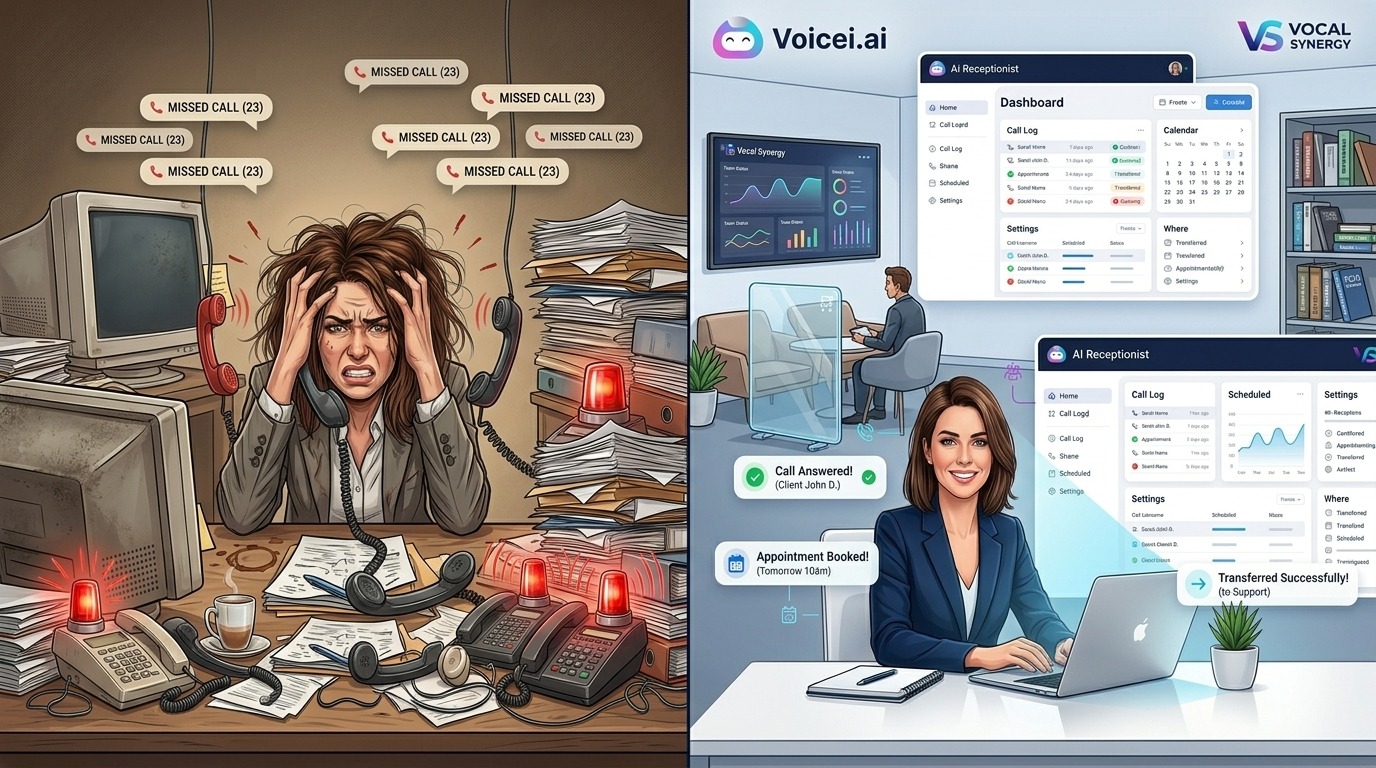
Common Mistakes to Avoid
I've seen these mistakes cost people real money:
Mistake 1: Not documenting your business first
AI receptionists need information to work with. If your hours, services, pricing, and policies exist only in your head, the AI can't learn them. You'll spend weeks frustrated, fixing wrong answers over and over.
Before buying, spend an hour creating a simple document: hours, services, common questions with answers, pricing, policies. Feed this to the AI during setup. Saves massive headaches later.
Mistake 2: Choosing based on price alone
That $29/month service looks great until it can't handle your calls and you lose $5,000 in missed appointments that month. I've watched this happen.
Match price to your actual needs. Budget services work fine for simple stuff. Complex requirements need bigger investment. The difference between $49/month and $249/month is nothing compared to one missed emergency call worth $2,000.
Mistake 3: Not checking integration compatibility
"Integrates with CRMs" is marketing speak. It doesn't mean YOUR CRM. Finding out after signup that your specific tools aren't supported wastes time and money.
Confirm your exact tools work before signing anything. Email support and ask specifically. If they're vague or don't respond quickly, that's a red flag.
Mistake 4: Ignoring contract terms
Month to month sounds flexible until you try to cancel and discover you're locked in for a year. Or there's a $500 early termination fee. Or they need 90 days notice.
Read the contract. Look for: cancellation policy, notice period, refund terms, auto-renewal clauses. Boring but necessary.
Mistake 5: Skipping the setup process
Buying an AI receptionist and not configuring it properly is like hiring a receptionist and not training them. It won't work well, and you'll blame the service when it's actually a setup issue.
Block 2–4 hours for initial setup. Train the AI properly. Test thoroughly before going live. The upfront time investment pays off.
Mistake 6: Setting unrealistic expectations
AI receptionists aren't perfect. They'll make mistakes. Sometimes they'll misunderstand. Sometimes they'll give slightly wrong information. Expecting flawless performance sets you up for disappointment and frustration.
Expect 90–95% accuracy. That's genuinely good for AI. Review transcripts monthly. Fix issues you find. The system gets better over time as you train it. It's not set-and-forget. It's set-and-improve.
Real Small Business Results
What businesses actually see after implementing AI receptionists:
Mike Rodriguez, Rodriguez Climate Control (HVAC): "We were missing 15–20 calls daily. With Voicei.ai, every call gets answered. First month we captured 40 extra service calls. That's $8,000 in revenue we would've lost."
Dr. Sarah Mitchell, Mitchell Family Dentistry: "We booked 35 extra appointments monthly after adding AI reception. That's $7,000 new revenue. Also cut no-shows 25% because the AI sends automatic reminders."
Tony Russo, Russo's Emergency Plumbing: "In emergency plumbing, speed matters. AI answers in 2 seconds vs. 30 seconds to voicemail. We increased emergency call capture 35%. Our team spends way less time on messages."
Sarah Kim, Kim Realty Group: "As a solo agent, I can't answer while showing properties. The AI qualifies buyers, schedules showings. I've increased inquiries 45% and never miss a hot lead."
Common results across industries:
-
30–45% increase in captured leads
-
80–95% cost savings vs. hiring receptionist
-
25–40% improvement in appointment booking
-
50–60% reduction in missed calls
-
100% first-ring answer rate
Questions People Actually Ask
How much does an AI receptionist cost for small business?
AI receptionists cost $29–$499/month for small businesses, depending on call volume and features. Budget options like Dialzara and Rosie start at $29/month for basic message-taking. Standard services like Voicei.ai run $99–$249/month with full features. Hybrid AI + human services like Smith.ai cost $300–$600/month.
For comparison, hiring a full-time receptionist costs $35,000–$45,000 annually ($2,917–$3,750/month). Even premium AI services save 85–95%.
Do AI receptionists really sound human?
Modern AI receptionists sound remarkably human for most calls. Services like Voicei.ai, Dialzara, and Goodcall use neural text-to-speech that sounds natural. Most callers don't realize they're talking to AI unless they pay close attention.
Limitations exist: heavy accents, bad phone connections, or very complex questions can reveal it's AI. But for routine business calls (scheduling, FAQs, message-taking), the voice quality is good enough that it doesn't matter.
Can AI receptionists schedule appointments?
Yes. Most modern AI receptionists can schedule appointments directly into your calendar. They check real-time availability, find open slots, book the appointment, and send confirmations to both you and the caller.
This works with Google Calendar, Outlook, Calendly, and other scheduling platforms. The AI doesn't double-book or mess up time zones. It's one of the most reliable features.
Best calendar integration: Voicei.ai, Goodcall, AnswerConnect, Ruby.
What happens if the AI can't answer a question?
Good AI receptionists handle this three ways:
-
Transfer to human: The AI says "Let me transfer you to someone who can help with that" and routes the call to you or your team.
-
Take a message: If no one's available, the AI captures the caller's question and contact info, then sends it to you.
-
Escalation rules: You can set rules like "If caller says 'emergency,' transfer immediately" or "If AI doesn't understand after 2 tries, transfer to human."
What the AI should NOT do: guess at answers, loop endlessly, or give wrong information. Quality services admit when they don't know and escalate appropriately.
Is AI receptionist HIPAA compliant for medical practices?
Some AI receptionists are HIPAA compliant, but not all. For healthcare, you need:
-
SOC2 Type II certification
-
Business Associate Agreement (BAA)
-
Encrypted call recording and data storage
-
Secure message delivery
-
Audit trails
HIPAA-compliant options: Voicei.ai Enterprise, AnswerConnect (with HIPAA package), Ruby Receptionist (with compliance add-on), specialized medical answering services.
Always verify HIPAA compliance in writing and get a signed BAA before handling any protected health information. Non-compliant services risk fines up to $50,000 per violation.
Can AI handle multiple calls at the same time?
Yes, this is one of AI's biggest advantages. AI receptionists can handle unlimited calls simultaneously. When 10 people call at once, all 10 get answered on the first ring.
Compare this to human receptionists who handle one call at a time. Other callers wait on hold or reach voicemail.
Some services limit concurrent calls based on your plan:
-
Budget plans: 5–10 concurrent calls
-
Standard plans: 20–50 concurrent calls
-
Premium plans: Unlimited concurrent calls
For most small businesses, even 5 concurrent calls is enough. Rare to get that many at exactly the same time.
How long does setup take?
Setup time varies by service and complexity:
Quick setup (15–30 minutes):
-
Dialzara, Rosie: Upload website, set hours, done
-
Basic message-taking services
-
Minimal customization needed
Standard setup (1–2 hours):
-
Voicei.ai, Goodcall: Calendar integration, CRM setup, knowledge base training
-
Custom greetings and routing
-
Testing and refinement
Complex setup (4–8 hours):
-
Industry-specific workflows (medical, legal)
-
Multiple team members with different routing
-
Advanced integrations
-
Extensive knowledge base documentation
Most businesses are live within 24 hours of starting setup. The AI learns and improves as it handles actual calls.
What if my customers don't like talking to AI?
This concern is valid but rarely an issue in practice. Here's why:
-
Most callers don't notice: They just want their question answered or appointment booked. If the AI does that smoothly, they're satisfied.
-
You can offer human option: Good AI receptionists include "Press 0 to speak with a person" or "Would you like me to transfer you to someone?" This gives callers choice.
-
After-hours AI is better than voicemail: Customers calling at 9 PM prefer talking to AI over leaving voicemail. AI actually books their appointment instead of "we'll call you back tomorrow."
-
Younger customers expect it: Under-40 crowd is used to chatbots and AI. They're often fine with it.
-
Professional services need human backup: If you're a law firm or medical practice, having human escalation option matters more. Hybrid services solve this.
If customer experience is critical to your brand, go with hybrid AI + human (Smith.ai) rather than AI-only. You get efficiency with empathy backup.
Do I need a contract?
Most modern AI receptionists offer month-to-month billing. No long-term contracts.
No contract (month-to-month):
-
Voicei.ai, Dialzara, Rosie, Goodcall
-
Cancel anytime with 30 days notice
-
Flexibility to switch if it doesn't work
Contract discounts available:
-
Some services offer 10–20% discount for annual prepay
-
Locks in pricing for a year
-
Worth it if you're confident in the service
Always check:
-
Cancellation notice period (30 days is standard)
-
Setup fees (often waived on annual contracts)
-
Refund policy for unused time
-
Auto-renewal terms
Start month-to-month. If you love it after 3 months, consider annual for the discount.
Can I use my existing phone number?
Yes. AI receptionists work with your current number through call forwarding.
How it works:
-
Someone calls your existing business number
-
Your phone forwards to the AI receptionist
-
AI answers and handles the call
-
If needed, AI transfers back to your phone
Setup is simple:
-
Enable call forwarding on your phone
-
Forward to the number AI service provides
-
Done in 5 minutes
You can also:
-
Get a new number from the AI service
-
Use both (existing forwards to AI, AI also has its own number)
-
Forward only when you're busy or after hours
Your customers keep calling the same number they've always used. They don't need to know anything changed.
Bottom Line: Choosing Your AI Receptionist
The best AI receptionist for your small business depends on your call volume, budget, industry requirements, and complexity needs.
For most small businesses: Start with Voicei.ai . At $99/month for 300 minutes and 20 concurrent calls, you get professional AI call handling at a fraction of traditional costs. Calendar integration, CRM sync, and call transfer all work. Setup takes 15 minutes. Natural voice quality. Handles appointment scheduling, message-taking, and basic questions reliably.
On a tight budget? Dialzara at $29/month or Rosie Professional at $49/month (unlimited minutes) deliver solid AI reception without breaking the bank.
Need human backup? Smith.ai combines AI efficiency with human agents for complex situations. Costs more ($300–$600/month) but gives you judgment and empathy when AI isn't enough.
Professional services (legal, medical, consulting)? Consider Ruby Receptionist or AnswerConnect for premium human service. Worth the investment when client experience is critical to your brand.
The ROI is clear: capturing even 3–5 additional leads per week pays for the service many times over. More importantly, you never lose business to voicemail or interrupt important work to answer routine calls.
Ready to stop missing calls? Pick a service from this guide, sign up for a free trial, and test it with real calls before committing. The difference between voicemail and professional call handling shows up in your revenue within the first month.
About Voicei.ai: 24/7 AI receptionist service for small businesses that can't afford to miss calls. Our AI answers instantly, schedules appointments, takes orders, and transfers to your team when needed. Trusted by 500+ service businesses. SOC2 Type II and HIPAA compliant. Get started free →