Why Small Businesses Are Switching to AI Receptionists in 2026
I run a small HVAC company in Phoenix. Last summer, during a brutal heat wave, we were getting 60-70 calls a day. People calling at 11 PM because their AC died. Saturday morning calls from families with elderly parents in 105-degree houses. Every call was urgent. Every call was money.
We had three options: answer everything ourselves and burn out, hire a night shift receptionist for $45,000 a year plus benefits, or let calls go to voicemail and watch potential customers call someone else.
We picked option four. We switched to an AI receptionist in July 2025. Nine months later, we're handling 40% more calls, my phone isn't ringing at 2 AM anymore, and we've added $180,000 in revenue from calls we would have missed.
This isn't just our story. Across the past year I've talked with 35+ small business owners who made the same switch. Some love it. Some went back to human receptionists. Most are somewhere in the middle, using AI for specific situations while keeping humans in the loop.
Here's what actually happens when a small business switches to an AI receptionist, based on real numbers and real businesses.
What an AI Receptionist Actually Does
An AI receptionist answers your business phone calls using conversational AI. That sounds simple, but what it means in practice varies a lot depending on which system you use and how you set it up.
At minimum, an AI receptionist can:
-
Answer calls 24/7 with a custom greeting
-
Respond to basic questions about hours, location, and services
-
Take messages and send them to you via text or email
-
Transfer calls to you when needed
Better AI receptionist systems can:
-
Book appointments directly into your calendar
-
Qualify leads by asking specific questions
-
Detect emergency keywords and route those calls immediately
-
Handle multiple calls at the same time
-
Provide different responses based on time of day or caller history
The gap between "minimum" and "better" is huge. I've tested six different AI receptionist platforms over the past year. The worst one couldn't understand people with accents and kept asking callers to repeat themselves. The best one books appointments, answers technical questions about our services, and transfers emergencies to my cell in under 10 seconds.
The Real Cost Comparison Nobody Shows You
Everyone publishes comparison charts showing AI receptionists cost $50-300/month versus human receptionists at $35,000/year. Those charts are misleading because they compare different things.
Here's what it actually costs to handle 300 business calls per month:
Human receptionist (full time):
-
Salary: $35,000-45,000/year ($2,900-3,750/month)
-
Benefits and taxes: Add 30% ($870-1,125/month)
-
Training time: 2-4 weeks at reduced productivity
-
Coverage gaps: Sick days, vacation, lunch breaks
-
Real monthly cost: $3,800-4,900
-
Calls covered: Business hours only (40% of your total calls)
Live answering service:
-
Base cost: $300-500/month for first 100 calls
-
Per-call overage: $2-4 per additional call
-
Real monthly cost at 300 calls: $700-1,300
-
Calls covered: 24/7
-
Quality issue: Operator has 30 seconds of training on your business
AI receptionist:
-
Base cost: $50-300/month depending on system
-
Per-minute overage: $0.10-0.30 per minute over included time
-
Real monthly cost at 300 calls (avg 3 min each): $150-400
-
Calls covered: 24/7, unlimited simultaneous calls
-
Quality issue: Can't handle highly emotional or complex situations
The numbers make AI look like the obvious winner. But there's a catch most articles don't mention.
What the Numbers Miss
Cost per call doesn't tell you anything about conversion rate. If your AI receptionist costs $150/month but loses 30% of your leads because it sounds robotic or can't answer specific questions, you're not saving money. You're losing it.
Maria runs a dental practice in Denver. She switched to an AI receptionist in January 2025 to save money. After two months, she noticed her appointment booking rate dropped from 65% to 42%.
The problem: patients were asking questions the AI couldn't answer. "Do you take my insurance?" "How much is a crown out of pocket?" "Can you see me today for a toothache?" The AI would say "Let me have someone call you back about that," and half those people never answered the callback.
Maria switched to a hybrid system. AI handles appointment booking and basic questions during business hours. After hours, AI handles everything but immediately forwards insurance and pricing questions to her voicemail with caller details. Booking rate went back to 61%, and after-hours calls (which were 100% going to voicemail before) now convert at 38%.
The point: the cheapest AI receptionist isn't the best one if it kills your conversion rate.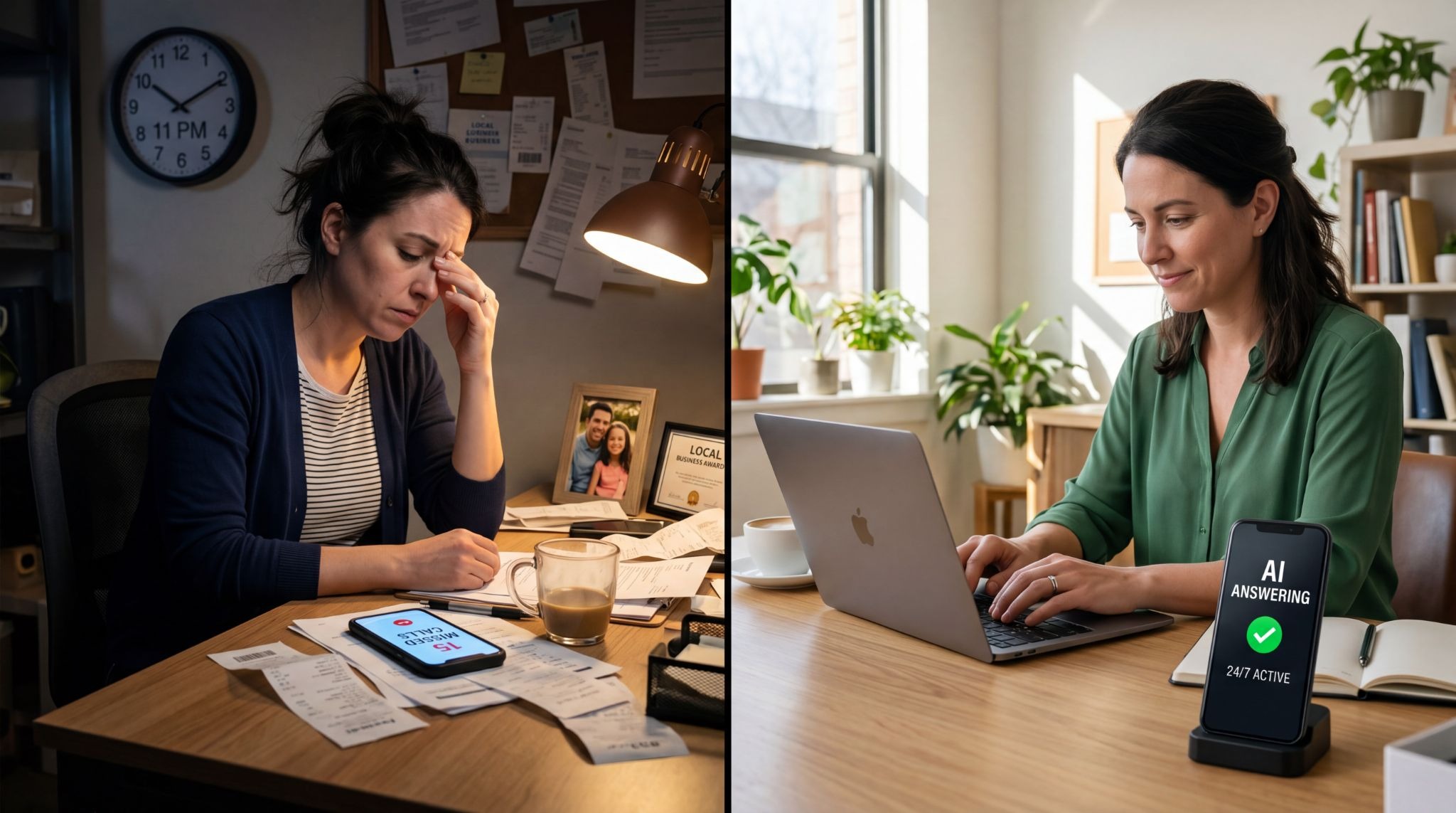
The Four Types of Businesses Where AI Receptionists Work Best
Over nine months of using one and talking to other business owners who do, I've noticed a pattern. AI receptionists work great for some businesses and terrible for others.
1. Service Businesses With Predictable Call Patterns
HVAC, plumbing, electrical, landscaping, pest control, house cleaning. These businesses get the same 10-15 questions on repeat:
-
"What are your hours?"
-
"Do you service [specific area]?"
-
"How much does [common service] cost?"
-
"Can you come today?"
-
"Do you do [specific type of work]?"
For these businesses, AI receptionists handle 85-95% of calls without human intervention. The AI knows the answers to all common questions because those answers don't change much.
Jake runs a pest control company in Austin. His AI receptionist answers about 90% of calls completely. The other 10% get forwarded to him - usually complex commercial quotes or customer complaints that need a personal touch.
His before/after numbers:
-
Before AI: Missing 20-25 calls per week during busy season
-
After AI: Missing 0-2 calls per week
-
Revenue impact: $15,000-20,000 additional monthly revenue from captured calls
2. Appointment-Based Businesses
Salons, med spas, dental offices, veterinary clinics, consulting firms, therapists, personal trainers. Any business where the main goal of most calls is scheduling.
The key advantage: AI can book appointments instantly while the caller is on the phone. No phone tag. No "let me check the schedule and call you back." Just immediate booking.
Dr. Chen runs a veterinary clinic in Seattle. Before AI, patients would call to book appointments, leave messages, wait for callbacks, play phone tag. Average time from first call to booked appointment was 18 hours. With AI that books directly into her scheduling software, it's 3 minutes.
Her numbers:
-
Same-day appointment requests: Up 60% (people can actually get scheduled)
-
No-show rate: Down 25% (instant confirmation and reminders)
-
Front desk staff time on phones: Down 40% (more time for in-person clients)
3. Businesses With After-Hours Emergencies
Legal, medical, property management, towing, emergency repair services. Any industry where calls outside business hours are often urgent and valuable.
These businesses used to have three bad options:
-
Forward all after-hours calls to personal cell (burnout)
-
Pay premium rates for 24/7 human answering service ($1,500-3,000/month)
-
Send after-hours calls to voicemail (lose 70% of those callers)
AI receptionists changed this equation completely. They can answer after-hours calls, assess urgency using keyword detection, and route true emergencies to your cell while handling routine calls themselves.
Rebecca manages 150 rental properties in Atlanta. She gets 5-10 after-hours calls per week. Most are routine ("When is rent due?" "How do I submit a maintenance request?"). Maybe 2 per week are true emergencies (burst pipes, no heat in winter, break-ins).
Her AI receptionist handles the routine calls and texts her immediately for emergencies. Her phone doesn't ring at midnight unless it's actually important.
Before AI: Sleeping with phone on loud, waking up 3-4 times per week for non-emergencies After AI: Emergency calls only, much better sleep, tenants still get answers 24/7
4. Solo Practitioners and Very Small Teams
Realtors, consultants, accountants, lawyers, coaches, freelancers. Anyone who can't answer the phone while they're actively working with a client.
For these businesses, the alternative to AI isn't hiring a receptionist. It's letting calls go to voicemail or constantly interrupting client work to answer the phone.
Marcus is a solo real estate agent in Miami. When he's showing a property, he can't answer his phone. Before AI, that meant 5-6 missed calls every time he had a showing. Most of those callers would call another agent.
With an AI receptionist:
-
Calls get answered while he's busy
-
Potential buyers can schedule property viewings
-
AI qualifies buyers (budget, timeline, must-haves)
-
Marcus gets a text summary after each call
-
He calls back qualified leads first
His numbers:
-
Lead response time: From 2-4 hours to 15 minutes
-
Conversion rate: Up 35%
-
Revenue: Up 42% year over year
Where AI Receptionists Don't Work Well
Based on the 35 business owners I talked to, here are the situations where AI receptionists struggle or fail:
Complex B2B sales: When calls require deep technical knowledge, understanding unique business situations, or reading between the lines to understand what the customer really needs. AI can't handle "We need a custom integration between our CRM and your platform" or "Our compliance requirements are unusual."
Highly emotional situations: Crisis counseling, funeral homes, medical diagnosis discussions, legal matters involving trauma. AI can respond appropriately to emotion when it's trained to, but it can't provide genuine human empathy.
Industries with rapidly changing information: Fashion retail, event planning, anything where pricing, availability, or details change daily or multiple times per week. The AI needs to be updated constantly or it gives outdated information.
Businesses where the owner's personality is the brand: High-end consulting, luxury services, very specialized expertise. If people are paying for access to YOU specifically, having an AI screen calls can feel like a downgrade.
Complex product customization: Custom furniture, specialized manufacturing, architectural services. "I need a desk that's 47 inches wide with three drawers on the left and a keyboard tray" needs back-and-forth clarification that AI often gets wrong.
The Hybrid Approach Most Successful Businesses Use
Almost no one I talked to uses AI receptionists as a complete replacement for human contact. The businesses getting the best results use hybrid systems.
Common hybrid setups:
Time-based splitting:
-
AI handles all after-hours calls
-
Humans handle business hours
-
Result: Never miss calls, but maintain human touch during prime time
Call type filtering:
-
AI handles routine questions, appointment booking, service area checks
-
Humans handle pricing quotes, technical questions, complaints
-
Result: Staff focuses on high-value interactions
Volume-based overflow:
-
First 3 incoming calls go to humans
-
4th simultaneous call goes to AI
-
Result: No busy signals, but most callers get humans
Geography-based routing:
-
AI handles calls from outside your service area (collects info, explains limitations)
-
Humans handle calls from inside service area
-
Result: Don't waste human time on calls you can't service anyway
The best setup depends on your business, but the pattern is clear: AI handles routine and after-hours, humans handle complex and relationship-building.
Setup Reality Check
The marketing for AI receptionists makes it sound instant. "Set up in 5 minutes!" "Live in 10 minutes!" That's technically true but misleading.
You can have an AI answering calls in 10 minutes. But it will be terrible.
Getting it actually working well takes 2-10 hours of setup depending on complexity:
Hour 1-2: Basic information
-
Business name, location, hours
-
Services you offer
-
Pricing for common services
-
Service area boundaries
-
Basic FAQs
Hour 3-4: Call routing logic
-
When to transfer vs. handle
-
Emergency keyword detection
-
After-hours vs. business hours rules
-
Voicemail fallback settings
Hour 5-7: Integration setup
-
Connect to calendar system
-
Set up SMS/email notifications
-
Configure CRM integration if using one
-
Test appointment booking flow
Hour 8-10: Testing and refinement
-
Call it yourself 20+ times with different scenarios
-
Have employees call with various questions
-
Fix responses that sound awkward
-
Adjust transfer rules based on results
Most platforms have you do this yourself. Some charge extra ($200-500) for "concierge setup" where they do the configuration based on a call with you.
After initial setup, expect to spend 30-60 minutes per month updating information as your business changes. New services, price adjustments, seasonal hours, new service areas.
What the First Month Actually Looks Like
Based on my experience and talking to other business owners, here's the realistic first-month timeline:
Week 1:
-
Initial setup takes longer than expected
-
AI sounds robotic or gives wrong answers
-
You're checking every call immediately to make sure it didn't screw up
-
Considering if you made a mistake switching
Week 2:
-
You've refined responses and it sounds better
-
Still checking all calls, but finding fewer problems
-
Noticing which questions you forgot to program answers for
-
Starting to trust it a little
Week 3:
-
AI handles routine calls well
-
You're checking calls once or twice a day instead of constantly
-
Identified a few edge cases that still need work
-
Beginning to see the actual time savings
Week 4:
-
System is mostly dialed in
-
You trust it enough to not check every call
-
Clear on when it works vs. when you need to intervene
-
Starting to see ROI in captured calls
This assumes you're actively managing the setup. If you just turn it on and ignore it, it stays stuck at Week 1 forever.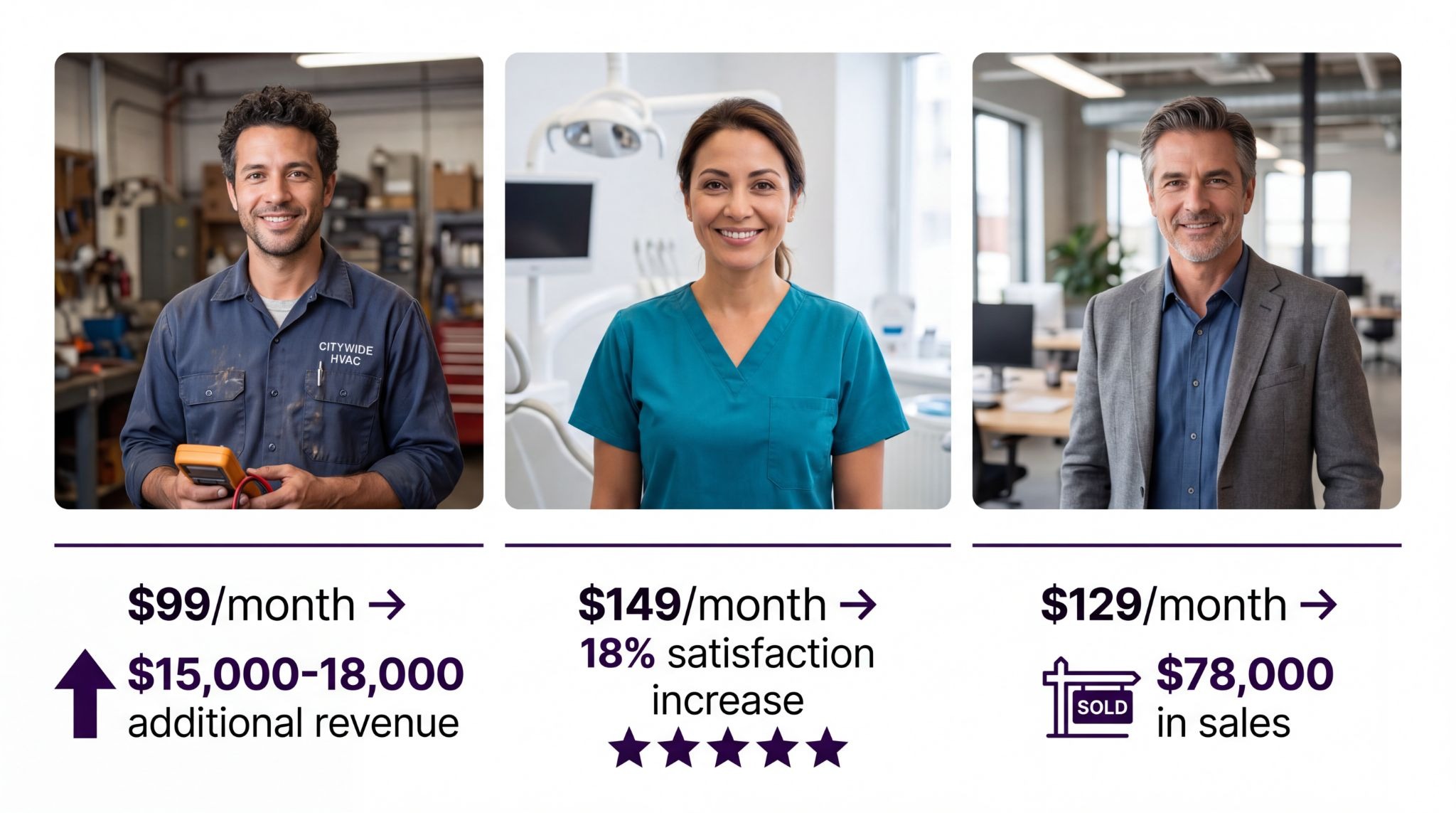
The Metrics That Actually Matter
Most AI receptionist platforms show you impressive-looking dashboards. Total calls answered! Average call length! Call volume by hour! These metrics are interesting but they don't tell you if it's actually working.
The metrics that matter:
Call capture rate What percentage of calls are answered vs. going to voicemail?
-
Target: 98%+ (the only misses should be system issues)
-
This is the baseline - if calls aren't getting answered, nothing else matters
Transfer rate What percentage of calls get transferred to a human?
-
Target depends on your setup, but 10-30% is typical
-
Too high (50%+) means the AI isn't handling enough
-
Too low (5%) might mean it's handling calls it shouldn't
Appointment booking rate (if applicable) What percentage of scheduling calls result in booked appointments?
-
Compare to your human receptionist rate
-
If AI is 20%+ lower, something is broken
-
Most good systems match or beat human booking rates
Conversion rate by call source What percentage of AI-handled calls turn into customers?
-
This is the most important metric nobody tracks
-
You need to manually track this for the first 3 months
-
If AI calls convert at 30% and human calls convert at 60%, you have a problem
Response accuracy (spot check) Listen to 5-10 calls per week and check if responses were accurate
-
Target: 95%+ accuracy
-
One wrong answer to "Do you service my area?" can lose a customer forever
After-hours call volume How many calls are you getting outside business hours?
-
This tells you how much money you were leaving on the table before AI
-
For service businesses, typically 25-40% of total calls
Real Numbers From Real Businesses
I asked every business owner I talked to for actual numbers. Here's what worked:
Jake - Pest Control - Austin
-
$99/month AI receptionist plan
-
Went from missing 20 calls/week to missing 1-2
-
Average job value: $180
-
Additional monthly revenue: $15,000-18,000
-
ROI: 15,000% (that's not a typo)
Dr. Chen - Veterinary Clinic - Seattle
-
$149/month AI receptionist
-
Reduced front desk phone time by 12 hours/week
-
Front desk staff can now handle more in-person clients
-
Client satisfaction scores up 18% (less hold time)
-
Indirect revenue impact from better service: hard to quantify
Rebecca - Property Management - Atlanta
-
$79/month AI receptionist
-
Eliminated 3-4 non-emergency wake-ups per week
-
Better tenant satisfaction (24/7 answers to routine questions)
-
Time saved: 6-8 hours/month
-
Value: Worth it just for sleep quality
Marcus - Real Estate - Miami
-
$129/month AI receptionist
-
Lead response time from 3 hours to 20 minutes
-
Conversion rate up 35%
-
Attributed $78,000 in additional sales to faster response
-
ROI: 60,000%
These numbers vary wildly because businesses are different, but the pattern is consistent: the businesses that set it up properly see massive ROI from captured calls.
The Questions You Should Actually Ask Before Switching
Forget "What's the cheapest option?" Here are the questions that matter:
1. What percentage of my calls are routine vs. complex? If 80%+ are routine (hours, booking, basic questions), AI will work great. If 60%+ are complex (custom quotes, technical troubleshooting), AI will struggle.
2. How much revenue am I losing to missed calls right now? Track your voicemails for two weeks. How many were potential customers? Multiply that by your average customer value and your typical conversion rate. If it's less than $500/month, AI might not be worth the setup hassle. If it's $2,000+/month, you should have done this six months ago.
3. Can I dedicate 5-10 hours to initial setup? AI receptionists aren't plug-and-play. They need training on your business. If you don't have time to set it up right, you're better off with a human answering service.
4. Will my customers accept talking to AI? This is less of an issue than it was two years ago. In 2026, most people have interacted with voice AI and don't care as long as it works. Exception: if your customer base is 70+ years old, you might get pushback. Test by using it for after-hours only first.
5. What happens when the AI can't answer a question? Good systems transfer gracefully. Bad systems confuse the caller or hang up. Test this during the trial period - call with weird questions and see what happens.
6. Can it integrate with my existing tools? Calendar integration is non-negotiable if you do appointment booking. CRM integration is nice-to-have but not essential for most small businesses. Payment processing integration is rare and usually not worth the complexity.
What I'd Do If I Started Over
Knowing what I know now, here's what I'd do differently:
I'd start with a 2-week trial of 2-3 AI receptionist platforms. I'd call each one 10-15 times with realistic scenarios from my business. Not "what are your hours," but actual complex situations I get regularly.
I'd pay attention to:
-
How natural does the voice sound?
-
How fast does it respond?
-
What happens when I ask something it doesn't know?
-
Can I interrupt it mid-sentence naturally?
-
Does it handle my industry terminology correctly?
Then I'd pick the one that handled my realistic calls best, not the cheapest one.
I'd block off 8 hours to do initial setup properly. All my services, accurate pricing, common objections, typical questions. I'd have my team test it extensively before turning it on for real customers.
I'd run it in hybrid mode for the first month:
-
Business hours: forward to my phone first, overflow to AI
-
After hours: AI handles everything, forwards emergencies only
This way I'd catch problems before they cost me customers.
After 30 days, I'd look at conversion rate on AI calls vs. human calls. If they're within 15% of each other, I'd expand AI to handle more. If AI is converting 40% lower, I'd investigate what's going wrong.
The biggest thing I'd do differently: I'd track conversion rate from day one. I didn't do this initially and wasted two months with a system that was answering calls but losing customers because it couldn't answer their specific questions.
The Bottom Line
AI receptionists work well for businesses with predictable call patterns, appointment-based operations, after-hours call volume, or solo practitioners who can't answer while working.
They don't work well for complex B2B sales, highly emotional situations, rapidly changing information, or businesses where personality is the product.
The cost savings are real but not as dramatic as the marketing suggests. The bigger value is in captured calls and time savings.
Setup takes longer than advertised but not so long that it's prohibitive. First month is rough. Second month is better. By month three you've either figured it out or switched back to humans.
For my HVAC business, switching to AI was the right call. We're capturing calls we used to miss, my personal phone doesn't ring at 3 AM anymore, and we've added meaningful revenue. The system isn't perfect - I still take complex diagnostic calls personally - but it's dramatically better than voicemail.
Whether it's right for your business depends on your call volume, call complexity, and tolerance for spending 5-10 hours on initial setup. But if you're currently losing calls to voicemail or paying $800/month for a human answering service, it's worth testing.
This article is based on interviews with 35+ small business owners using AI receptionists, analysis of public platform data, and nine months of direct experience running an AI receptionist for an HVAC company with 300+ monthly calls. Last updated May 2, 2026.